Text expansion management, organized visually.

Espanso GUI is a native desktop editor for your Espanso match files. Create, review, and maintain text triggers, interactive form templates, and shell variables directly on disk without manual YAML formatting.

Pre-built packages available for Linux, macOS, and Windows.
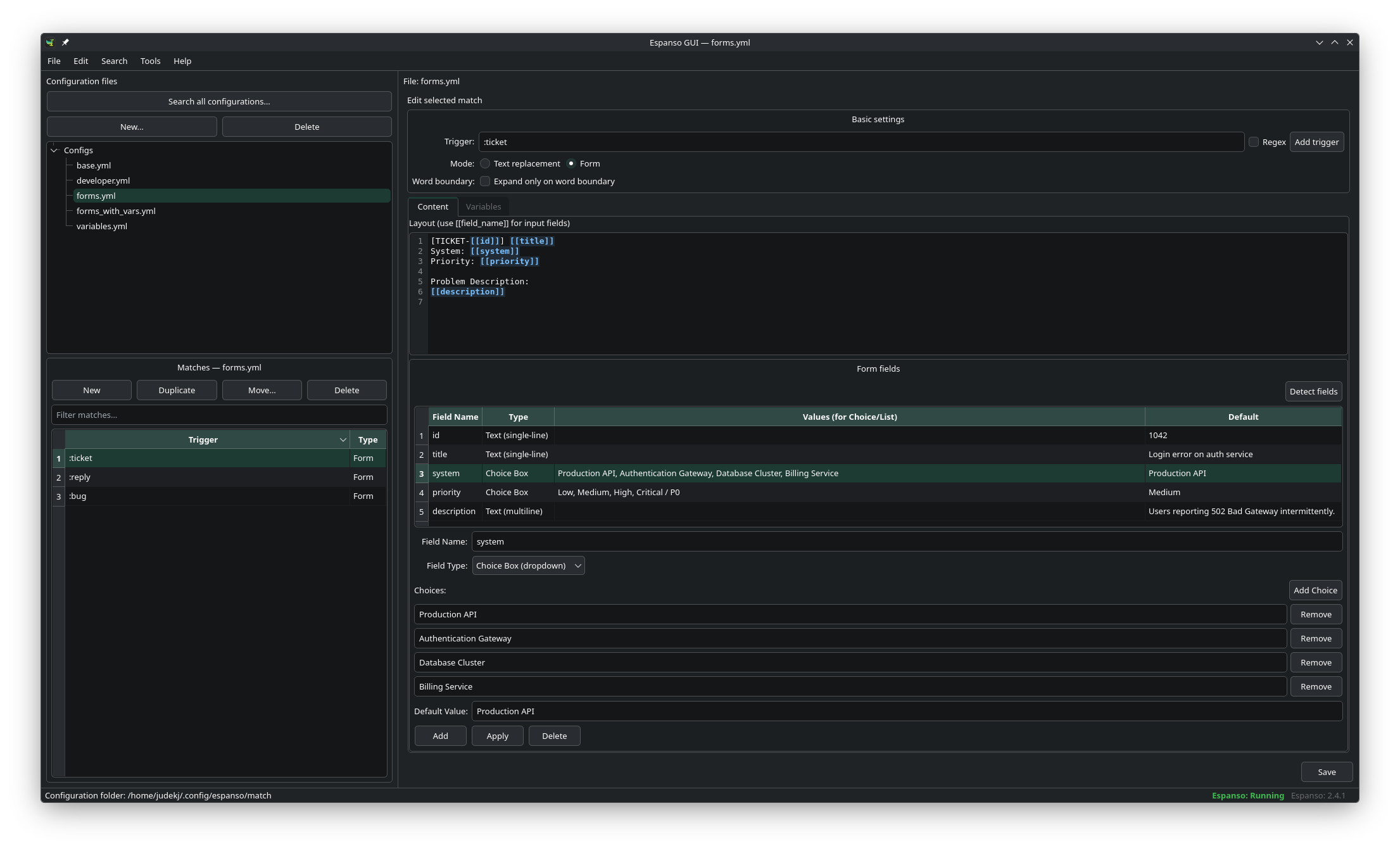
Espanso GUI Main Editor Window
Click to enlarge

Features

Directly manages your existing Espanso match files without lock-in or proprietary storage.

Match File Management

Browse, create, rename, duplicate, and delete match files and individual triggers across your configuration folders.

Visual Form Editor

Create snippet forms with text fields, text areas, and choice dropdowns. Template tags like {{field}} are automatically detected.

Variable Support

Configure shell scripts, python commands, dates, clipboard values, and random choices in a clear master-detail view.

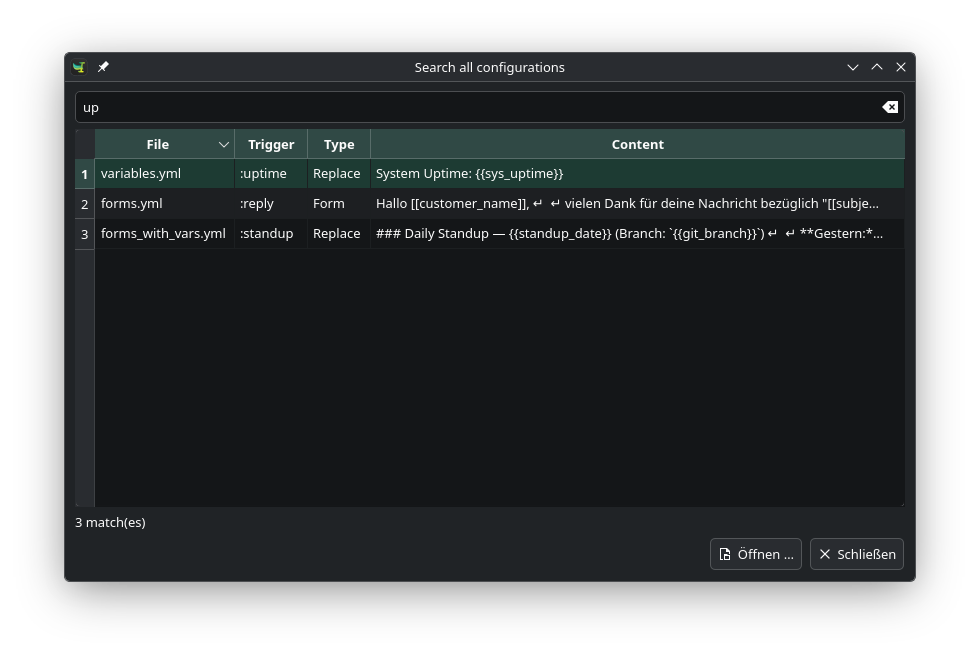
Global Search (Ctrl+F)

Quickly query triggers and templates across all YAML files with instant navigation directly to the match.

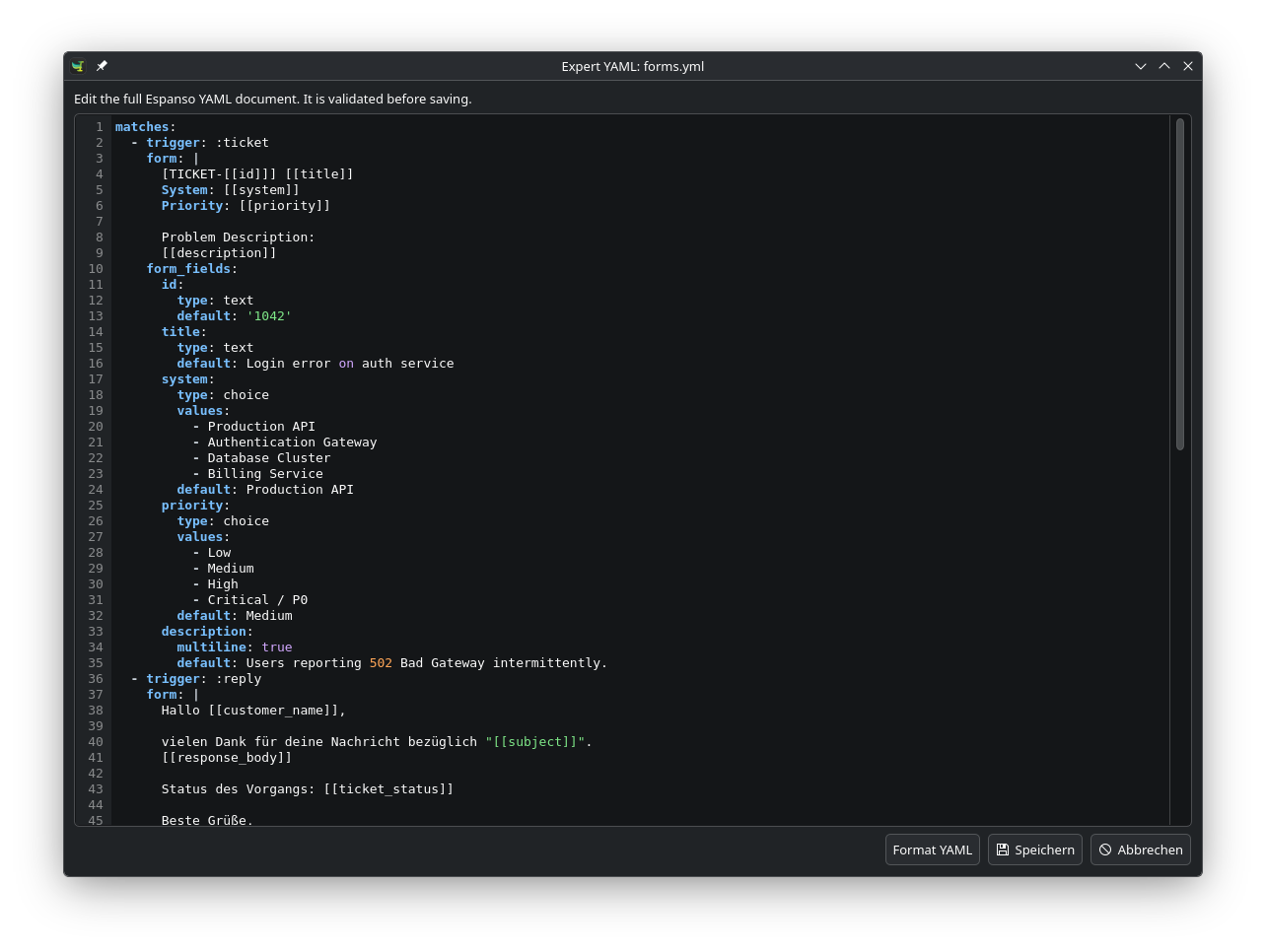
Expert YAML & Validation

Inspect raw documents for regex triggers or word flags. The built-in YAML parser validates syntax before saving to disk.

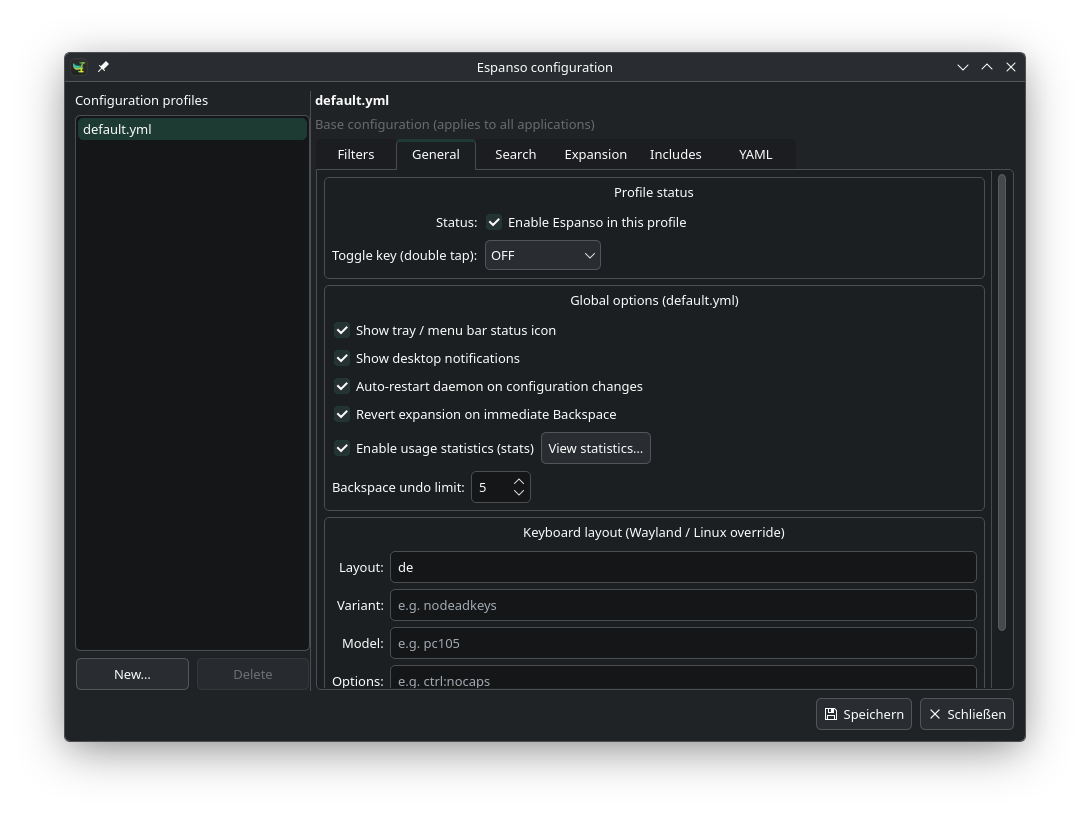
Profiles & Daemon Control

Edit default.yml, configure application filters, and restart the background Espanso daemon with one click.

Screenshots

Explore the interface. Click any screenshot to open the full-resolution preview.

Espanso GUI Main Editor
Full Size

Match & Form Editor

Configuration file tree, trigger search filter, snippet editor, and interactive form fields.

Global Search Dialog
Full Size

Global Match Search (Ctrl+F)

Fast query across triggers, notes, and templates in all match files with direct jump-to-line navigation.

Expert YAML Mode for Match Files
Full Size

Expert YAML Mode — Match Files

Direct access to the complete document syntax with real-time syntax validation before saving.

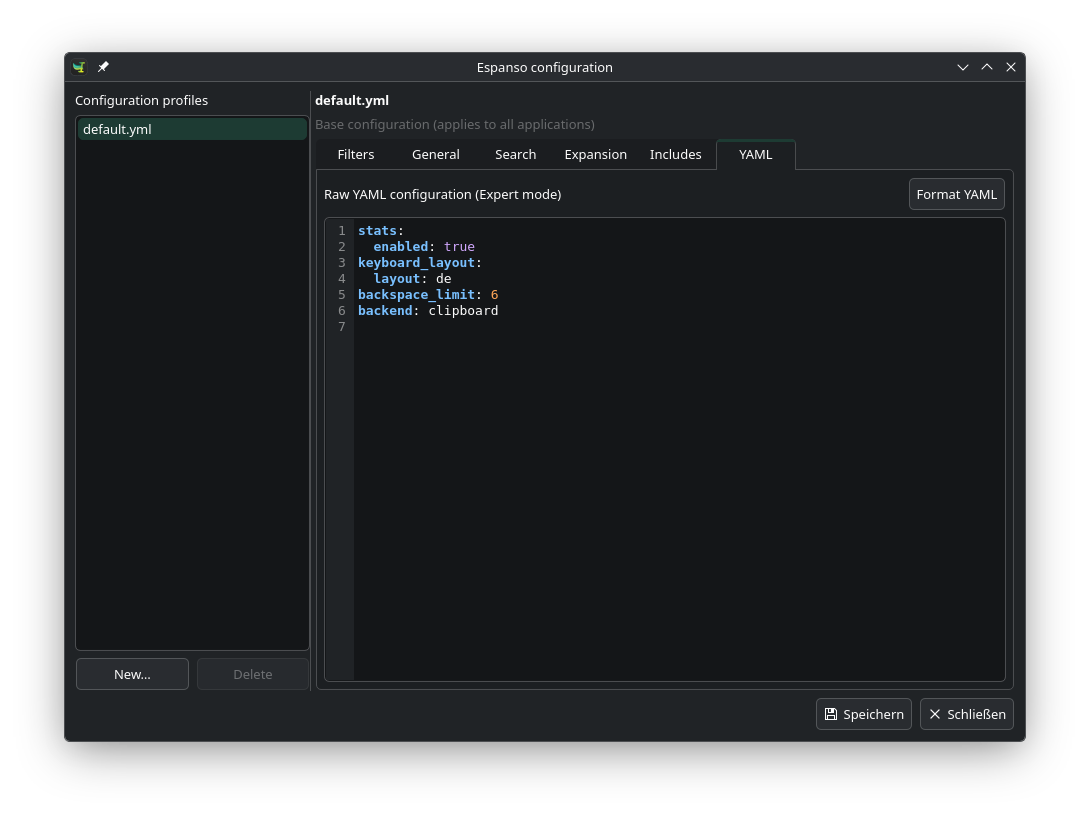
Espanso Configuration Profiles
Full Size

Espanso Configuration Profiles

Visual settings editor for default.yml, keyboard layout rules, backend options, and application filters.

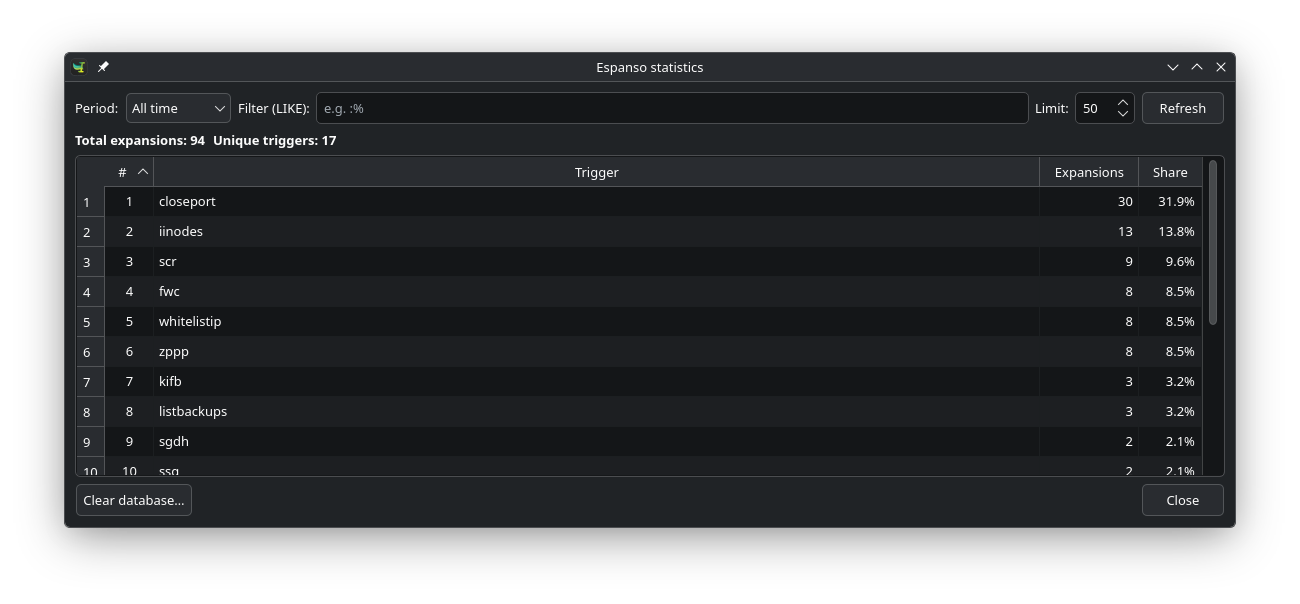
Usage Statistics Dialog
Full Size

Usage Statistics & Daemon Status

Monitor daily and all-time expansion counters, most used triggers, and active Espanso daemon status.

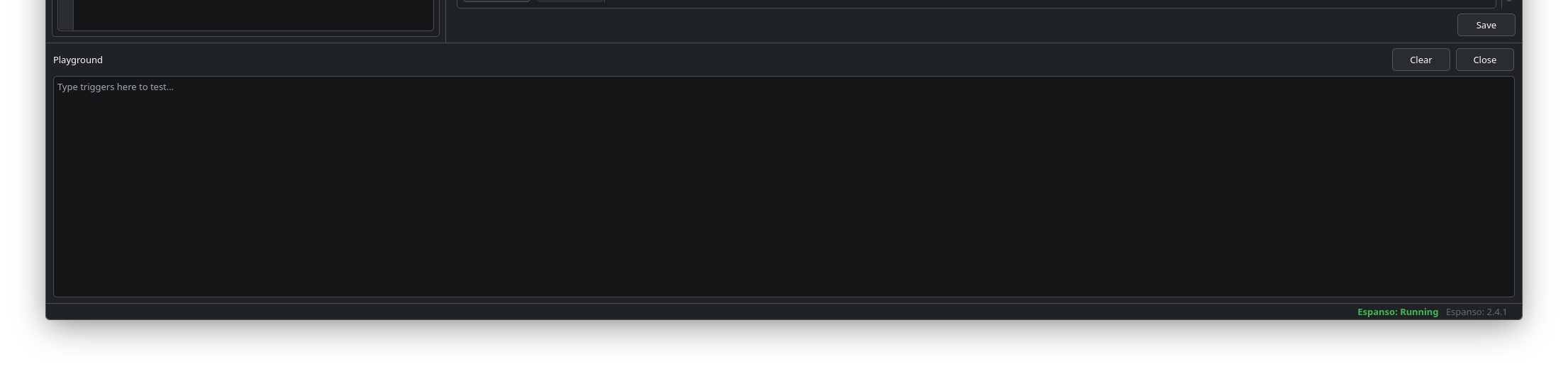
Interactive Expansion Playground
Full Size

Interactive Expansion Playground

Test your triggers, form expansions, and variables live inside the application without switching windows.

Regex & Dynamic Trigger Support
Full Size

Regex & Dynamic Triggers

Define powerful regular expression triggers with named capture groups like (?P<name>...).

Expert YAML Mode for Daemon Config
Full Size

Expert YAML Mode — Daemon Config

Direct YAML editor for advanced daemon configuration profiles and complex backend overrides.

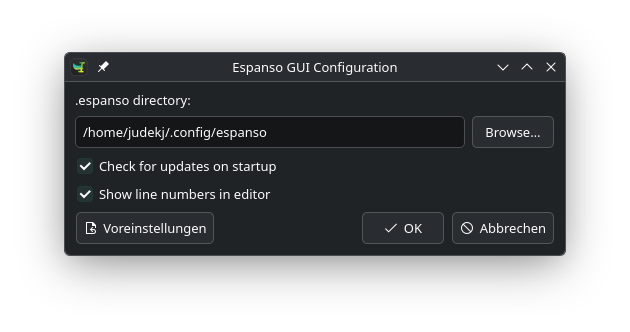
Espanso GUI Application Preferences
Full Size

Espanso GUI Preferences

Configure application behavior, toggle editor line numbers, manage update checks, and select custom paths.

Downloads

Free, open-source desktop software distributed under the GNU General Public License v3. Select the pre-built package for your operating system.

Linux

Your Platform

Universal AppImage or distribution packages:

Universal Linux .AppImage
Download AppImage
Debian / Ubuntu / Pop!_OS
Standalone (bundled PySide6 dependencies)
.deb
Download Standalone (.deb)
Debian / Ubuntu Standard
Uses system python3-pyside6
.deb
Download Standard (.deb)
Fedora / RHEL .rpm
Download RPM
Arch Linux (pacman) .pkg.tar.zst
Download Arch Package

macOS

Your Platform

Native disk images (.dmg) for Apple silicon and Intel processors:

Apple silicon arm64.dmg
Download for Apple Silicon
Intel Mac x64.dmg
Download for Intel Mac

Windows

Your Platform

Standalone portable archive for 64-bit Windows:

Windows 10 / 11 (64-bit) .zip
Download Windows ZIP

Quick Start on Windows:

  1. Extract the downloaded .zip folder.
  2. Launch Espanso GUI.exe.

Command-Line Installation

Install Espanso GUI using system package managers or run directly from Python source code.

bash — install-linux.sh
curl -fsSL https://raw.githubusercontent.com/johannjdk/espanso-gui/main/scripts/install-linux.sh | sh

Automatically identifies Ubuntu, Debian, Arch Linux, or Fedora, downloads the latest release, and installs it.

bash — Debian / Ubuntu / Pop!_OS
# Download standalone .deb (recommended for Ubuntu 22.04/24.04 and Pop!_OS):
sudo apt install ./espanso-gui-*-linux-debian-ubuntu-standalone.deb

# Or standard .deb (Ubuntu 24.10+ with system python3-pyside6):
sudo apt install ./espanso-gui-*-linux-debian-ubuntu.deb
bash — Arch Linux
sudo pacman -U espanso-gui-qt-*-linux-arch.pkg.tar.zst
bash — Virtual Environment
git clone https://github.com/johannjdk/espanso-gui.git
cd espanso-gui
python3 -m venv .venv
source .venv/bin/activate
pip install .
python3 -m espanso_gui

Requires Python 3.10+ and PySide6.

Frequently Asked Questions

Yes. Espanso GUI is a visual configuration manager and editor for your existing match files. The background text expansion service itself is managed by the Espanso daemon. Espanso GUI will automatically locate your configuration folder on first launch.

No. Espanso GUI directly reads your standard match/*.yml files. When saving changes, it updates only the targeted match items. You can also view and edit the raw YAML at any time via the built-in Expert YAML mode.

Depending on your operating system:
  • Linux: ~/.config/espanso/
  • macOS: ~/Library/Application Support/espanso/
  • Windows: %APPDATA%\espanso\

Espanso GUI is an independent open-source project created by community contributors and is not officially affiliated with or endorsed by Espanso.